A Digital Tap Menu That Keeps Up With Service
Update from any phone behind the bar. Show the menu on every screen in the taproom. Swap kegs in under thirty seconds — without anyone reaching for a chalkboard.
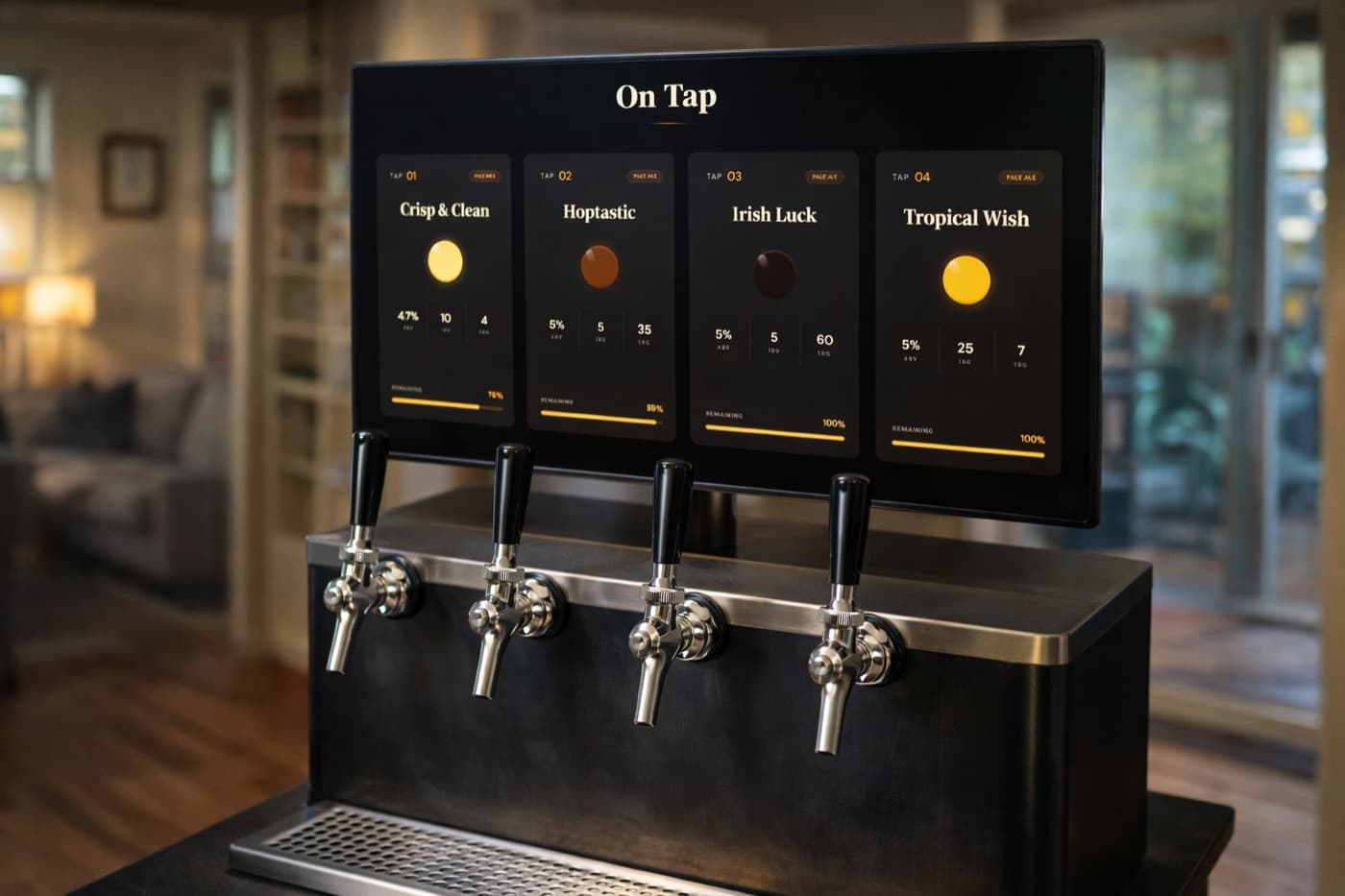
A taproom menu your guests can actually read
Chalkboards Aren't Cutting It
You change the chalk menu when a keg blows mid-shift. The patio menu stays wrong for an hour. A new staff member can't read the bartender's handwriting. The IPA name gets misspelled on Instagram.
Keggio replaces all of it with one source of truth — your tap list, on every screen, updated from any phone.
Built for Service Hours
Sub-30-second keg swaps
When a keg kicks, your bartender opens their phone, picks the next beer, confirms. The menu updates everywhere instantly.
One menu, every screen
Bar, patio, entrance, kitchen pickup window. Open the display URL once per screen. They all stay in sync — no manual updating.
Team accounts
Add bartenders, managers, owners. Each has their own login. No more shared passwords or “ask the manager” bottlenecks.
Beer library
Save your house beers and rotating guests in a library. Putting one back on tap is one click — descriptions, IBU, ABV all carry over.
Pour analytics
Which beers move? Which sat? Pour data per beer, per day. Actual numbers to inform what you brew next.
Flow meter & POS API
Wire pour events in from flow meters or your POS. Keg levels stay accurate automatically. Less manual logging, fewer errors.
What Happens When the Wi-Fi Goes Down?
Displays cache the latest tap list and keep showing it during brief network blips — your menu doesn't blank out mid-service. When the connection comes back, displays sync automatically.
Updates from staff phones queue up if connectivity drops on their device, then flush when reconnected. Designed for taproom reality, not perfect-lab conditions.
Live in an Afternoon
No installer. No on-site tech. No new hardware to buy.
Build your beer library
Add your house beers and frequent guest taps. Pictures, descriptions, ABV, IBU, glass size, price.
Plug in the displays
Use existing TVs with Chromecast, Fire Stick, or any browser-capable device. No new hardware required.
Train staff in five minutes
The keg swap flow is three taps on a phone. Bartenders learn it during their first shift.
Taproom FAQ
Can multiple staff members update the tap list?▾
Yes. Add bartenders, managers, and owners as team members. Each has their own login — no shared passwords, no admin bottlenecks when the manager isn't reachable.
Can I run the same menu on multiple displays?▾
Yes. Open the display URL on every screen in the taproom — bar, patio, entrance. All stay in sync when staff update a tap. No per-screen license.
How fast is a keg swap?▾
Under 30 seconds from a phone. Tap the keg, pick the new beer from your library, confirm. The change appears on every display instantly.
Does it integrate with our POS or flow meters?▾
The Keggio API ingests pour events from flow meters or POS systems to keep keg levels accurate without manual logging. Custom integrations available on Business plans.
What hardware do we need?▾
Use existing TVs with a Chromecast, Fire Stick, Apple TV, or any small PC. Staff phones are the controllers. No installer or proprietary hardware.
Can we customize the look to match our brand?▾
Yes. Pick from built-in themes or customize colors and logo on Business plans so the display fits your taproom's aesthetic.
Get Your Taproom Off the Chalkboard
Try the free plan today. No credit card. Upgrade when you're ready for multi-tap, team accounts, and analytics.
Try It Free