A Digital Tap Display for Your Kegerator
Show your guests what's pouring with a beautiful tap menu on any TV, tablet, or screen. No special hardware. Free for one tap.
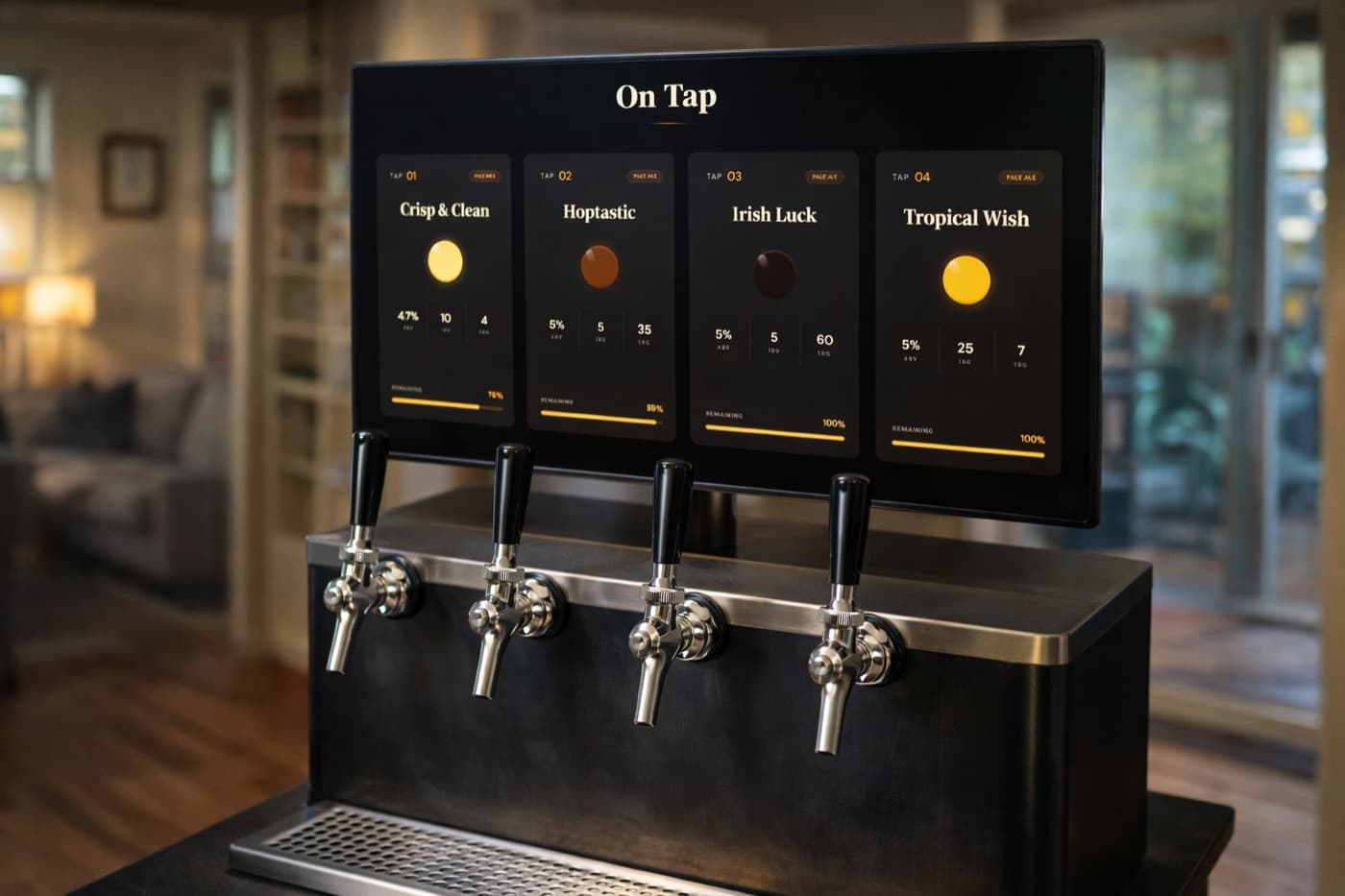
A live tap display — guests instantly see what's on tap
Built for the Way You Pour
Whether you've got a single-tap kegerator or a six-tap keezer, your beer menu deserves better than a chalkboard.
Beer details that matter
Name, style, ABV, IBU and beer colour, next to a live keg level. Everything your guests want, at a glance.
Live keg levels
Track what's left in each keg. The display updates in real-time as you pour.
Any screen, any size
TV with Chromecast, tablet, old laptop, monitor — if it has a browser, it works.
Update from your phone
Tap a new keg, edit details, or rotate the menu. Changes appear instantly on the display.
Themes that fit your bar
Pick a theme that matches your home bar, garage, or taproom aesthetic.
Flow sensor ready
Got flow meters? Use the Keggio API to auto-register every pour and keep keg levels accurate.
Up and Running in Minutes
Sign up free
Create your account. No credit card. The free plan covers one tap forever.
Add your kegs
Enter beer name, style, ABV, and keg size. Or import from your homebrew log.
Open the display
Open the display URL on any screen near your kegerator. That's it.
Made for Every Setup
Home bars & kegerators
A polished menu for your basement bar or garage kegerator. Impress your guests, never forget what's on tap.
Homebrewers
Put every batch on display with style, ABV and IBU, and see how much is left in each keg.
Taprooms & small breweries
A digital tap menu staff can update from any device. Multiple displays, one source of truth.
Common Questions
What is a digital tap display?▾
A screen-based beer menu that shows what's currently on tap — usually with style, ABV, IBU, brewery, and remaining keg level. It replaces handwritten chalkboards and printed menus, and updates in real-time when you change a keg.
Do I need special hardware?▾
No. Keggio runs in any modern browser. A TV with Chromecast or Fire Stick, an old tablet, or a spare laptop is all you need. If you have flow sensors, the Keggio API can register pours automatically.
Can I use it for a single-tap home kegerator?▾
Yes. The free plan supports one tap and never expires. Perfect for a home kegerator. Upgrade only if you add more taps or want advanced features.
How do I update what's on tap?▾
Edit the tap from your phone or laptop. The display updates instantly — no need to refresh anything.
Does it work for keezers and multi-tap setups?▾
Yes. Multi-tap kegerators and keezers are fully supported on paid plans. Each tap has its own beer, keg and live level.
Ready to Show Off Your Taps?
Free for one tap. No credit card. Set up your tap display in five minutes.
Get Started Free